
Construction management web app for office and jobsite
A construction management web app lets the office and jobsite open the same current project records in a browser. Home Builder Software provides responsive screens for schedules, work tasks, daily reports, RFIs, documents and commercial records without claiming a separate native phone or tablet application.
That distinction matters. The product is browser-based and needs a current browser and network access to reach the hosted or self-hosted installation. It does not promise an app-store install, offline synchronization or native push behavior that the software does not provide.
 AI-generated image
Use the same construction project record from desk and jobsite
Responsive layouts make the interface usable on desktop, tablet and phone. A site manager can open the assigned project, record the day, update a task, answer a checkpoint or attach a photo while the office reads the same dated record. Role and project permissions still control which modules and actions are available.
The browser is only the access layer. The operational value comes from connected records: a daily report belongs to one project and date, an RFI keeps its responsible responder and deadline, a task retains assignees and acceptance, and a revised plan does not silently replace its predecessor.
Open the responsive interface in a current browser
Desktop, tablet and phone use the same web application and project identity rather than separate field data.
Keep permissions active on every device
A smaller screen does not widen access; role and project permissions still decide which records a person may use.
Create dated field records at their source
Daily reports, photos, RFIs and task updates remain connected to the project instead of becoming messages to re-enter later.
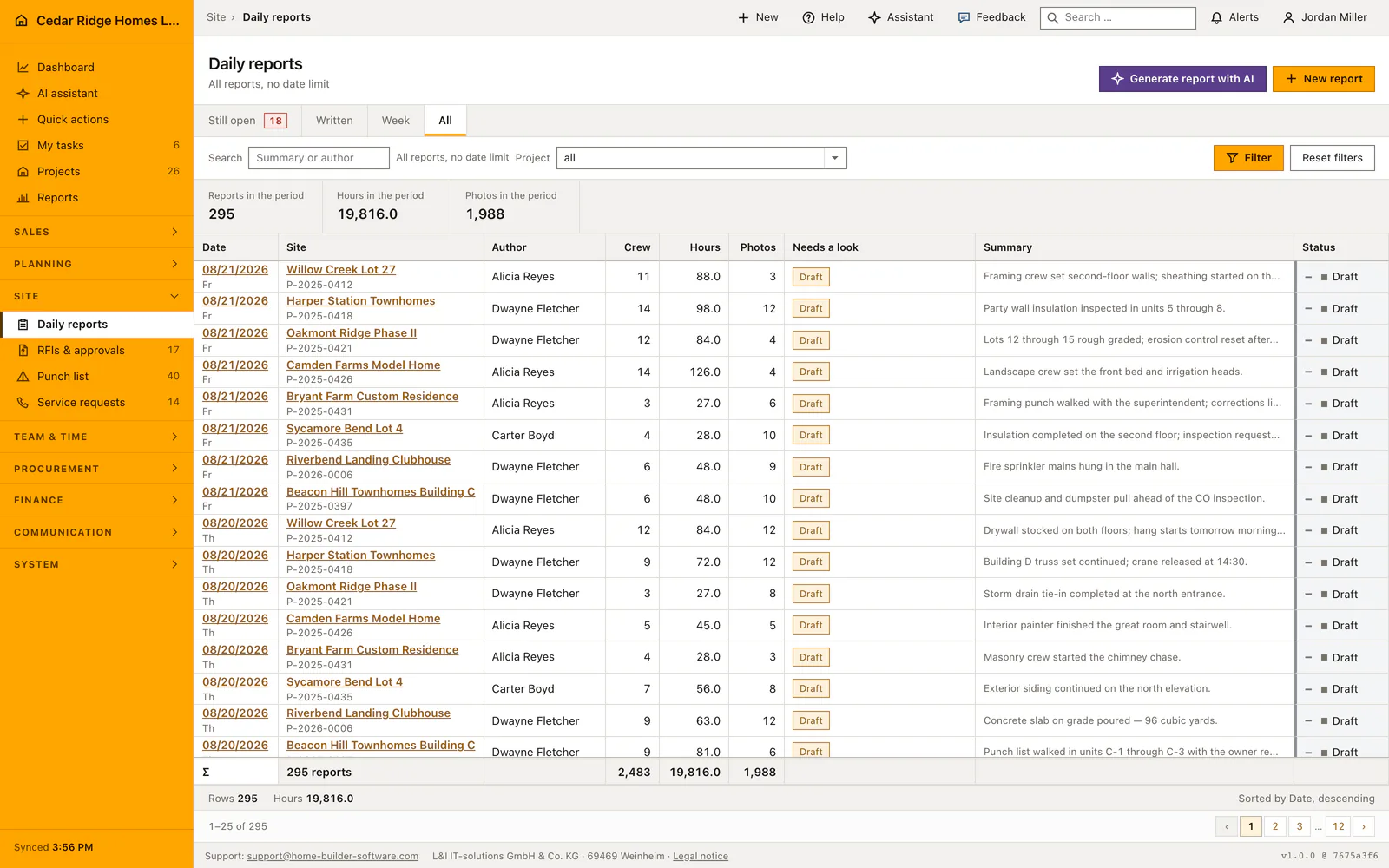
The daily report is a real browser workflow, not a native-app mockup
The real interface records one report per project and day with weather, crew size, hours, work summary, photos and status. It is available through the responsive web application and remains connected to the same project used by the office.
Home Builder Software pricing and trial access
Managed cloud starts at $70 per month before tax, with all modules and unlimited projects. Your written quote specifies users and storage. A self-hosted license is quoted separately.
The free 14-day trial covers projects, scheduling, tasks and invoicing. A license key and registration link arrive by email. AI, document storage and uploads are excluded; ask for a guided demonstration to evaluate those requirements.
Questions about the construction management web app
Is Home Builder Software a native mobile app?
No. It is a responsive web application used in a current browser on desktop, tablet or phone. The site does not claim a separate app-store application.
Does the construction management web app work offline?
No offline synchronization is promised. The browser needs network access to the managed-cloud or self-hosted installation.
Can field users have different access from office users?
Yes. Role and project permissions determine which modules and actions each person can use, regardless of the device.
Test one browser-based field workflow
Choose the site record your team currently sends back to the office by message or file. We prepare the trial around that responsive workflow and its project permissions.